By Gable · Updated · Competitor details checked · 7 minute read · Editorial standards
A weekly seller update should open with the week's headline numbers (online views, showings and offers), share the feedback you have chosen to pass on, and close with a short note on what it means and what happens next. Below are five copy-ready templates for a standard week, a slow week, a strong week, a price conversation and the first update after an accepted offer. Swap in your numbers, keep it short, and send it on the same day every week.
These templates work as an email on their own, or as the short email that links to a fuller report in your seller's portal. For what belongs in the full report, see our seller report checklist, and for a full report filled in, see our seller report example. For the outline of the report itself, section by section, use our weekly seller report template.
How should a weekly seller update be structured?
Every template below follows the same shape:
- Subject line with the address and the week, so it is easy to find later.
- Headline numbers: views, showings, offers.
- Feedback, grouped and anonymous.
- Your note: what happened, what it means, what is next.
- One clear next step, such as a call, an open house or a decision.
Sellers learn the shape after a week or two and know exactly where to look.
Template 1: The standard weekly update
Template 2: The slow week
A slow week still gets an update. Silence is what worries sellers, not low numbers.
Template 3: The strong week
Template 4: Opening a price conversation
Use this when the numbers point to a price change. The report sets it up and the conversation happens on the phone or in person.
Template 5: The first update after an accepted offer
Once an offer is accepted, the update changes from activity to progress.
What are good subject lines for seller updates?
Keep the address first and the week second, so every update is easy to find in the seller's inbox.
- [Address] update, week [number]
- [Address]: this week's showings and feedback
- [Address] update, and a time to talk
- [Address]: next steps to closing
What should you avoid in a seller update?
- Skipping weeks. Consistency matters more than polish.
- Copying raw feedback. Group it, keep it anonymous and add a plan.
- Burying bad news. Say it plainly and say what you will do.
- Long paragraphs. Short lines read better on a phone.
- Surprises. A price conversation should never be the first time the seller hears the numbers are soft.
How can you send weekly updates without writing them from scratch?
The slowest part of a weekly update is gathering the numbers: views from each site, showings and feedback from your showing service, and your notes on open houses. Gable is the product we build to do that gathering for you.
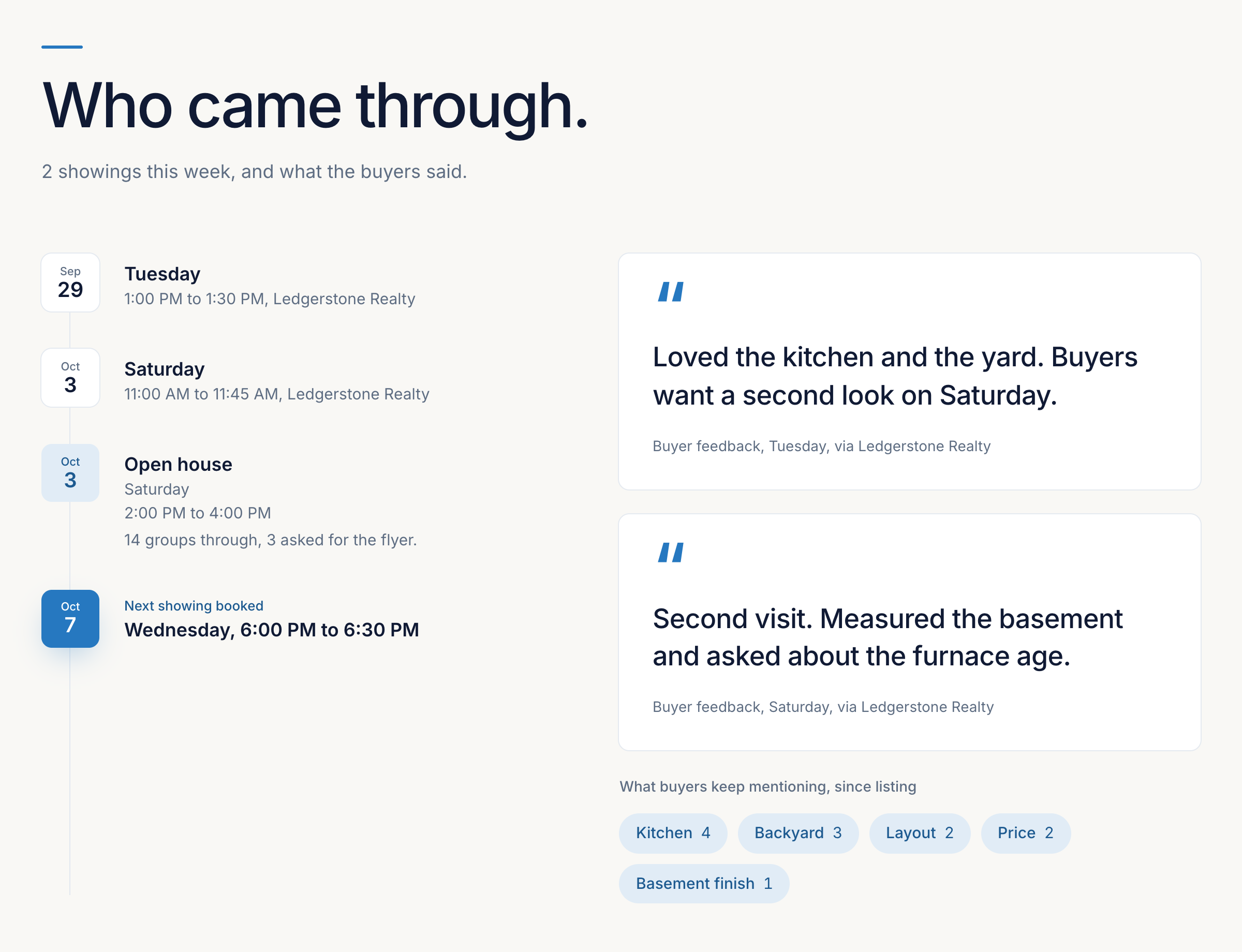
In the US, you add a listing by pasting its Zillow or Redfin link. Views come from your ListTrac report, which you forward to your Gable address each week. BrokerBay showings come in automatically, and you type in their feedback. For US agents, ShowingTime showings and feedback come in automatically too. You can log any other showing and its feedback by hand in a few taps. Gable builds the weekly report, you choose which feedback the seller sees and add your note, and the seller opens it in their portal from one private link, with no password.
After an offer is accepted, the buyer gets their own portal from accepted offer to closing, showing where the deal stands, the key dates and deadlines, and who is on their team. Key dates are added to your Google or Outlook calendar once connected. US plans start at $99 USD a month for 5 active transactions, and plans in Canada start at $149 CAD a month. See the Gable pricing page.
For more on how weekly reports fit together, see our seller reports guide and client portal guide.
Frequently asked questions
What should a weekly seller update include?
The week's online views, showings and offers, the feedback you have chosen to share, and a short note on what it means and what happens next.
What day should I send seller updates?
Pick one day and keep it. Monday morning works well because it covers the weekend's showings and open houses.
Should I send an update when nothing happened?
Yes. A short update on a slow week, with what you are doing about it, keeps the seller's trust. Silence is what worries sellers most.
How do I bring up a price reduction in a seller update?
Use the update to show the pattern in views, showings and feedback over several weeks, then ask for a time to talk. Have the conversation itself by phone or in person.
Can I automate weekly seller updates?
The gathering can be automated. For US agents, ShowingTime showings and feedback come in automatically, BrokerBay showings come in for you to add feedback, you forward your ListTrac report for views each week, and Gable builds the report in the seller's portal. Your note is still yours to write.
Sources
Gable's own pricing page, checked November 5, 2026. This guide cites no competitor page.
- Gable pricing: getgable.ca/pricing?country=US
Related reading
- What Should a Seller Report Include? A Checklist for Listing AgentsA section-by-section checklist of what to include in a weekly seller report: views, showings, feedback, open houses, offers, nearby homes and the agent's note, plus what to leave out.
- Weekly Seller Report Example, Section by SectionA complete sample seller report for one week of a listing, taken apart section by section, with a slow week and the first week under contract.
- Seller Reports for Realtors: The Complete GuideWhat a seller report is, what goes in one, how often to send it, how to write the agent's note, and how to automate weekly seller reports for every listing.