By Gable · Updated · Competitor details checked · 11 minute read · Editorial standards
For readers in Canada: the prices and free trial on this page are for the US. Gable in Canada is on a waitlist for now. Join the Canada waitlist.
A good seller report example is one page a seller can read on a phone: the listing basics, this week's online views and showings, the feedback you chose to share, open house results, offers, a few nearby homes, and a short note from you on what it means and what happens next. Below is a complete sample seller report for one week of a listing, followed by a breakdown of each section, why it is there and how to write your own.
Every number in the sample is example data for a made-up home at 123 Example Street. It is not from a real listing, and it is not a benchmark for what your listing should get. For the full checklist behind each section, see what to include in a seller report. For a blank outline to copy, see our weekly seller report template.
What does a weekly seller report look like?
A weekly seller report looks like a short dashboard with a note at the end. Here is the whole sample first, so you can see how the sections fit together.
123 Example Street: weekly report, week 3
Example data. Not a real listing.
Listing basics: 3 bed, 2 bath. Listed 17 days ago. List price $450,000.
This week at a glance
| Figure | This week | Since listing |
|---|---|---|
| Online views | This week: 410 | Since listing: 1,290 |
| Showings | This week: 4 | Since listing: 9 |
| Second visits | This week: 1 | Since listing: 1 |
| Offers | This week: 0 | Since listing: 0 |
Where the views came from: The weekly views report for this listing.
Showings this week: Tuesday 5:30 pm, Thursday 6:00 pm, Saturday 11:00 am (second visit from a buyer who first saw the home in week 2), Saturday 2:00 pm.
What buyers said: Three buyers liked the updated kitchen and the light in the living room. Two mentioned the small third bedroom. One asked whether the basement had ever taken on water.
Open house (Sunday, 1 to 3 pm): 11 groups came through. Two asked about the age of the roof. One asked their agent to book a private showing.
Offers: No offers this week. One buyer's agent asked whether the seller would consider a flexible closing date.
Nearby homes:
- 140 Sample Avenue (similar size): went under contract this week.
- 88 Model Road (one more bedroom): price reduced to $449,900.
My note: A steady third week. Views are holding and showings went up, and a second visit is the most hopeful sign in this report. The basement question came up twice, so I will add the dry basement inspection from 2024 to the listing documents. Next step: I am following up with the second-visit buyer's agent on Monday, and I would like to talk on Wednesday about the closing date question.
That is the whole report. The rest of this page takes it apart.
What goes at the top of a seller report?
The top of a seller report holds the listing basics: address, a photo if your format allows one, the home's main details, days on market and list price. In the sample that is one line.
Why it matters: sellers forward reports to family members, and days on market frames every number below it. Four showings in week 3 reads very differently from four showings in week 12.
How should the headline numbers be laid out?
Lay out the headline numbers as a small table with two columns, this week and since listing. Keep it to four rows: online views, showings, second visits and offers.
- This week shows momentum.
- Since listing shows reach.
- Second visits get their own row because a returning buyer is the strongest sign of interest a report can show.
- Offers stay in the table even at zero. Leaving the row out makes sellers wonder what you are not telling them.
How do you show online views in a sample seller report?
Show online views as two numbers and a source line. In the sample, the source line says the views come from the listing's weekly views report.
Sellers ask "is anyone looking?" before anything else, and they trust a number more when they know where it came from. Views show interest, not demand, so pair them with showings. If views are high and showings are low, your note should say so and say what you think it means. If a source did not report this week, leave the number out rather than print a zero nobody counted. Our seller reports guide covers how to talk a seller through the number.
How do you list showings in a seller report?
List each showing by day and time, and mark second visits. Sellers match showing times to the hours they spent out of the house, so dates and times make the report feel real.
In the sample, the Saturday 11:00 am showing is marked as a second visit from a week 2 buyer. That one line does more for the seller's confidence than the whole views table.
How much showing feedback should a seller report include?
Include the feedback that helps the seller decide something, grouped and anonymous. The sample turns six comments into three lines: what buyers liked, what they did not, and one question.
- Group similar comments ("Three buyers liked the kitchen").
- Keep buyers anonymous. Share what was said, not who said it.
- Pair each concern with an action. The basement question in the sample leads straight to "I will add the dry basement inspection to the listing documents" in the note.
- Leave out comments that hurt without helping. You do not need to pass on every remark word for word.
Should a seller report include open house results?
Yes, in any week you hold one. Give the date and time, how many groups came through, the questions that came up more than once, and any follow-up such as a private showing request. If nobody came, say so and give your read on why.
How do you report offers when there are none?
Say it plainly in one line, then add any buyer signal you have. "No offers this week. One buyer's agent asked whether the seller would consider a flexible closing date" is honest and still gives the seller something to think about.
When an offer does come in, you will have called the seller already, so the report becomes the written record of terms received and next steps.
Should a sample seller report show nearby homes?
Show nearby homes if you track them, and keep the list short. Two or three homes that went under contract, came on the market or changed price near the seller's home are enough. Add a few words on why each one matters, such as "similar size" or "one more bedroom".
Sellers watch the homes around them and will ask anyway. A short list in the report answers the question before it comes up and sets up any price conversation later.
How do you write the agent's note?
Write the note in three parts: what happened, what it means and what happens next. Keep it to four or five sentences.
Here is how the sample note breaks down:
- What happened: "A steady third week. Views are holding and showings went up."
- What it means: "A second visit is the most hopeful sign in this report. The basement question came up twice."
- What is next: "I am following up with the second-visit buyer's agent on Monday, and I would like to talk on Wednesday about the closing date question."
The note is the only part of the report a tool cannot write for you, and it is the part sellers remember. Our weekly seller update template has notes for a slow week, a strong week and a week where you need to talk about price.
What does a slow week look like in the same report?
A slow week uses the same sections with lower numbers and a longer note. Keep every row, even the zeros, and put more weight on what you are doing about it.
123 Example Street: weekly report, week 6
Example data. Not a real listing.
| Figure | This week | Since listing |
|---|---|---|
| Online views | This week: 180 | Since listing: 2,110 |
| Showings | This week: 1 | Since listing: 14 |
| Second visits | This week: 0 | Since listing: 1 |
| Offers | This week: 0 | Since listing: 0 |
My note: A quiet week. Online views usually dip once a listing is no longer fresh, and showings are the number I watch most. Over the last three weeks, buyers who came through mostly mentioned price compared with 140 Sample Avenue. I would like to sit down this week and look at the numbers together.
Sellers rarely mind a slow week they hear about. They mind silence.
What does a seller report look like after an accepted offer?
After an accepted offer, the report changes from activity to progress. Views and showings drop out, and key dates take their place. Give each one as a real date with the days left beside it, so the seller can put it on their own calendar and still see at a glance what is close.
123 Example Street: under contract, week 1
Example data. Not a real listing. Days left are counted from Saturday, Nov 7.
| Step | Date | Status |
|---|---|---|
| Offer accepted | Date: Tue, Nov 3 | Status: Done |
| Inspection deadline | Date: Fri, Nov 13 | Status: 6 days left. Inspection booked |
| Financing deadline | Date: Tue, Nov 24 | Status: 17 days left. Waiting on lender |
| Closing | Date: Fri, Dec 18 | Status: 41 days left |
My note: The inspection is booked. I will share the results and any requests with you as soon as I have them. Please plan for access on the inspection day.
The dates and deadlines depend on your contract and your state. Use the ones in the signed agreement.
Is there a matching report for the buyer?
Yes, and buyers want one as much as sellers do. From accepted offer to closing, a buyer wants the same things in reverse: where the deal stands, the key dates and deadlines, who is on their team, and what they need to do next. If you represent buyers, a short weekly progress view like the under contract example above keeps them from calling to ask. Our client portal guide covers what buyers should see.
How Gable builds this report each week
Gable is the product we build, and it covers the seller side, the buyer side and the transaction in one place. Here is how each part of the sample comes together in a Gable seller report in the US:
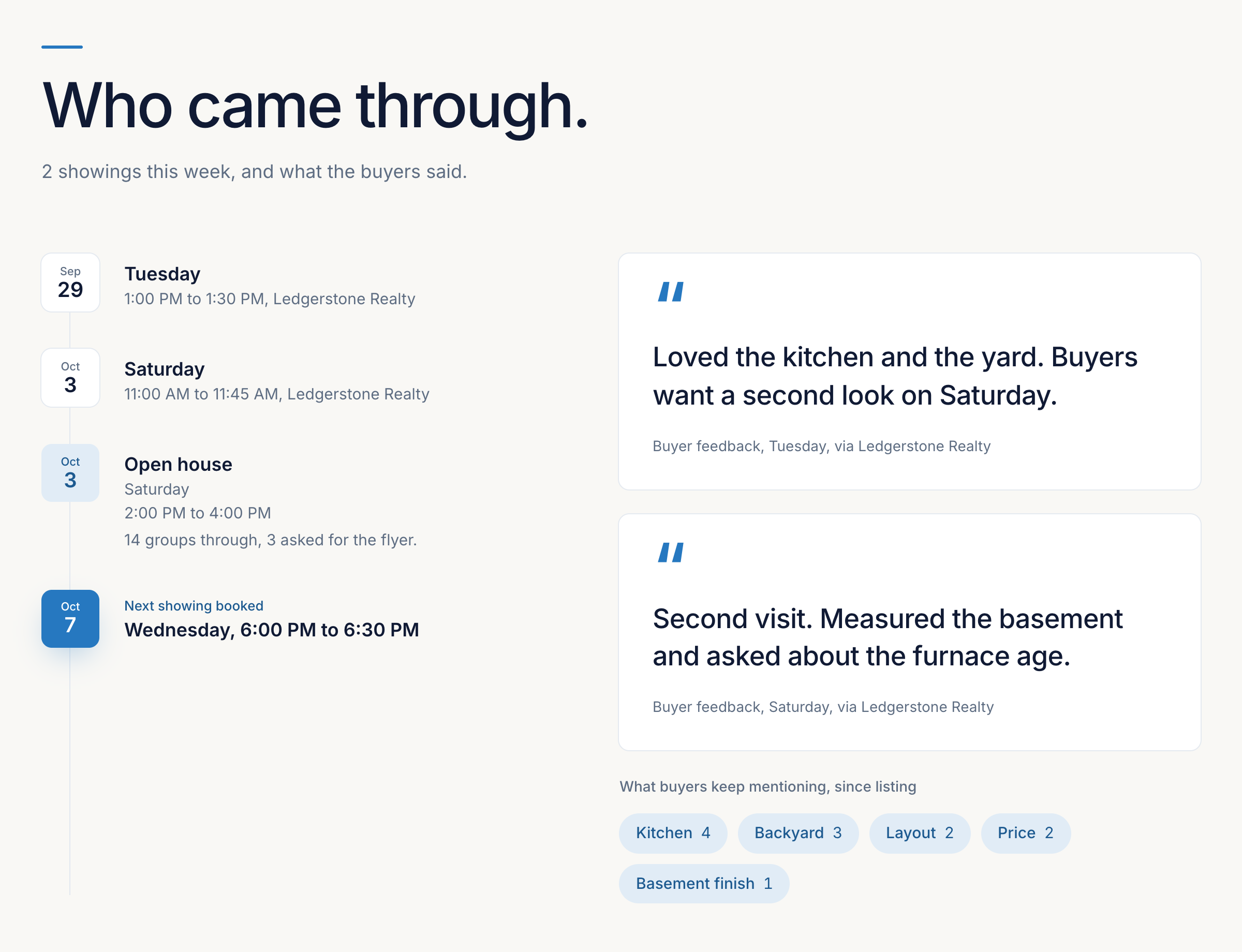
- Listing basics: the address, photo, home details, days on market and list price come from the listing you add in Gable.
- Online views: views come from your ListTrac report, which you forward to your Gable address each week, or you can enter them yourself. When no source reported a week, the report leaves the number out instead of showing a zero.
- Showings and feedback: BrokerBay showings come in automatically, and you type in their feedback. For US agents, ShowingTime showings and feedback come in automatically too. You can log any other showing and its feedback by hand in a few taps. You choose which feedback the seller sees.
- Open houses and offers: you record them on the listing, and the week's open houses appear in the report with the visitor count and your note.
- Nearby homes: if you turn on comparable homes for your team and add the nearby homes you are watching, the report shows the ones that changed this week, such as a new listing, a price change or a home going under contract.
- Your note: you write it. It is the one part that stays yours.
- Delivery: the report lands in the seller's portal, which opens from one private link with no password. You can hide a section you do not want the seller to see. Your private notes and tasks never appear.
Once an offer is accepted, the seller's portal shows the closing date and each contingency deadline as a date, with the days left beside it, and marks each contingency when it is cleared. Your buyer gets their own portal from accepted offer to closing, showing where the deal stands, the key dates and deadlines, and who is on their team. Key dates are added to your Google or Outlook calendar once connected. Transaction tasks for both sides sit in the same place as the reports.
US plans are $99, $149, $179 and $199 USD a month for 5, 10, 20 or unlimited active transactions. In Canada, the same plans are $149, $199, $249 and $299 CAD a month. An active transaction is a listing on the market or under contract, or a buyer deal from accepted offer to closing. Each plan includes 1 person, and each extra person is $35 USD a month in the US or $49 CAD a month in Canada. Annual billing charges 11 months for the year. Every plan has every core feature. Gable is not a CRM, and it does not include e-signature. Social Studio, which posts to Instagram, Facebook and LinkedIn personal profiles, is free for the first year when you join by Feb 1, 2027, then a paid add-on at $35 USD a month, with a heads-up before any billing. See the Gable pricing page.
Frequently asked questions
What does a seller report example include?
The listing basics, online views this week and since listing, showings with dates, grouped and anonymous feedback, open house results, offers, a few nearby homes, and a short note from the agent on what it means and what happens next.
Where can I get a sample seller report?
This page includes a full sample seller report for a standard week, a slow week and the first week under contract. Every number in it is example data for a made-up home, so replace it with your own listing's numbers.
How long should a weekly listing report be?
One page, or one screen on a phone. Four headline numbers, a few lines of feedback and a note of four or five sentences are enough.
Should a seller report show zero offers?
Yes. Keep the offers row even at zero and add any buyer signal you have. Leaving it out makes sellers wonder what you are not telling them.
Can a seller report be built automatically?
The gathering can be. In Gable, for US agents, ShowingTime showings and feedback come in automatically, BrokerBay showings come in for you to add feedback, you forward your ListTrac report for views each week, and Gable builds the report in the seller's portal. The note is still yours to write.
Sources
Gable's own pricing page, checked November 9, 2026. This guide cites no competitor page.
- Gable pricing: getgable.ca/pricing?country=US
Related reading
- What Should a Seller Report Include? A Checklist for Listing AgentsA section-by-section checklist of what to include in a weekly seller report: views, showings, feedback, open houses, offers, nearby homes and the agent's note, plus what to leave out.
- Seller Reports for Realtors: The Complete GuideWhat a seller report is, what goes in one, how often to send it, how to write the agent's note, and how to automate weekly seller reports for every listing.
- Seller Update Email Templates (Copy and Use)Copy-ready seller update email templates for listing agents: a standard weekly update, a slow week, a strong week, a price conversation and an under contract update.