One portal forevery seller andevery deal.
Your sellers see their views, showings and feedback. You see every condition, document and date across every deal.
One private link, no passwords · Works from the public listing links you paste
Launching soon.

Jordan Avery
Sales Representative, Gable Demo Brokerage

12 Maple Grove Crescent
$749,900
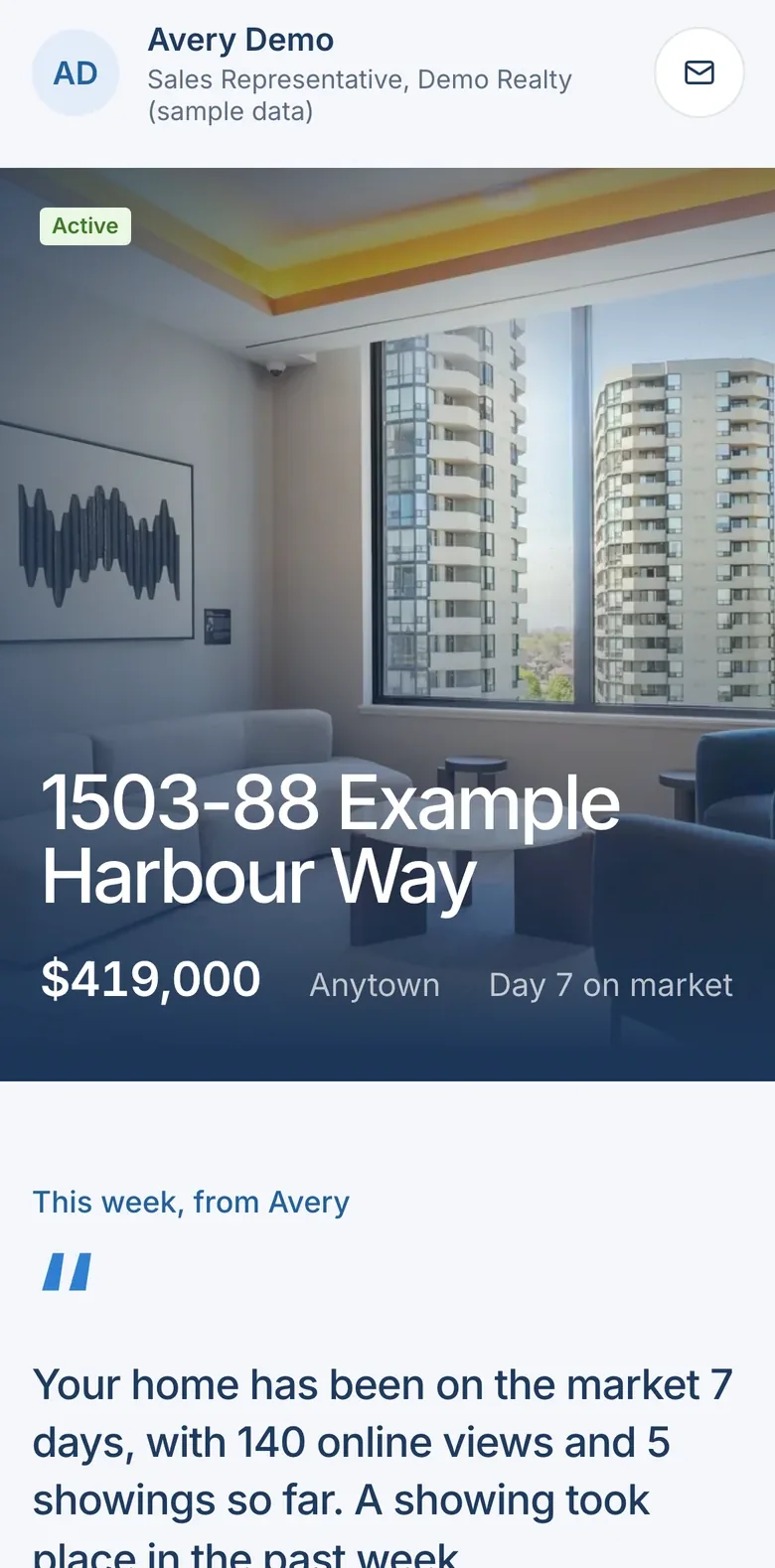
Day 24 on market
This week, from Jordan
Four showings this week, 18 since the home was listed. Three of the four buyers left feedback: two mentioned the kitchen and the natural light, and one is likely to book a second look this week.
Jordan Avery
Sales Representative, Gable Demo Brokerage
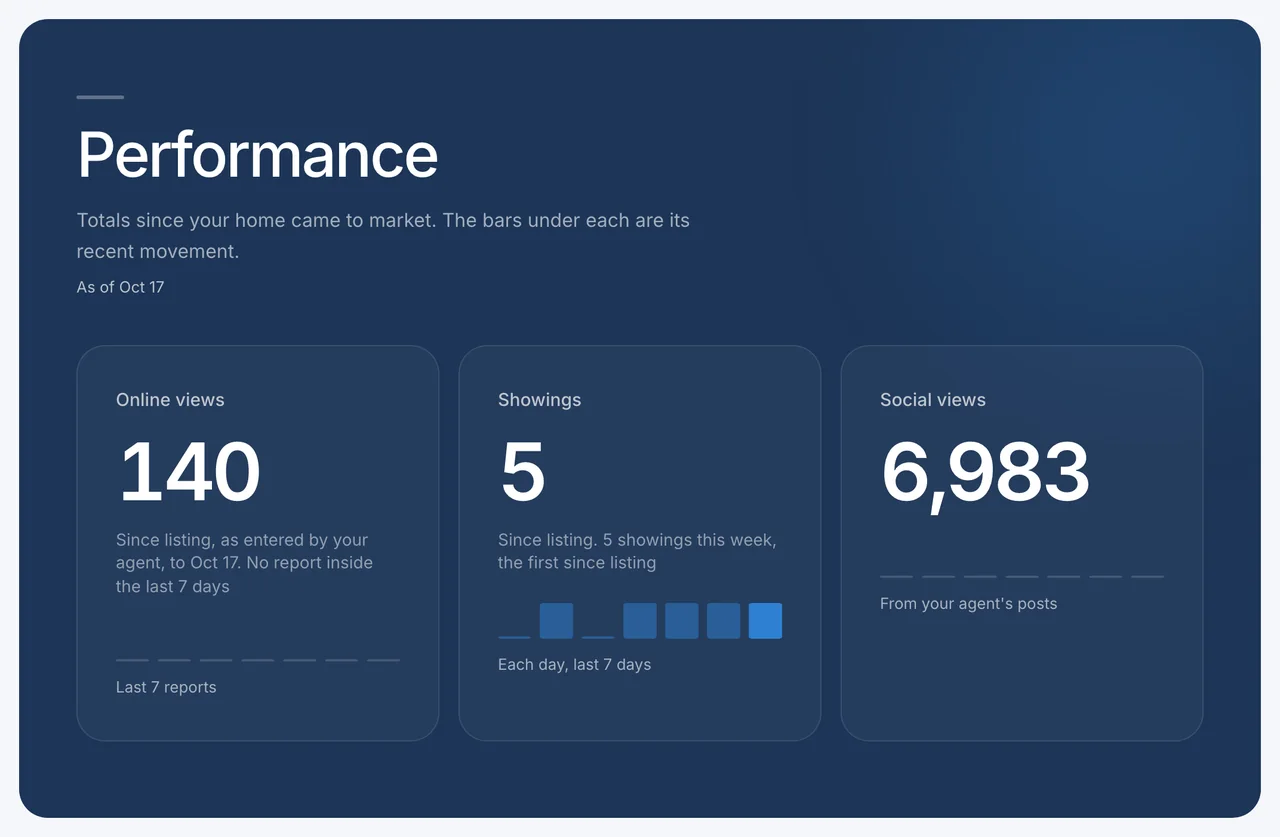
Performance
Totals since your home came to market. The line under each traces its readings.
As of Oct 19
Online views
Since listing, REALTOR.ca only, to Oct 19
Views in each report
Showings
Since listing
Showings to date, by day
Saves on REALTOR.ca
Since listing
Saves to date, at each update
Social views
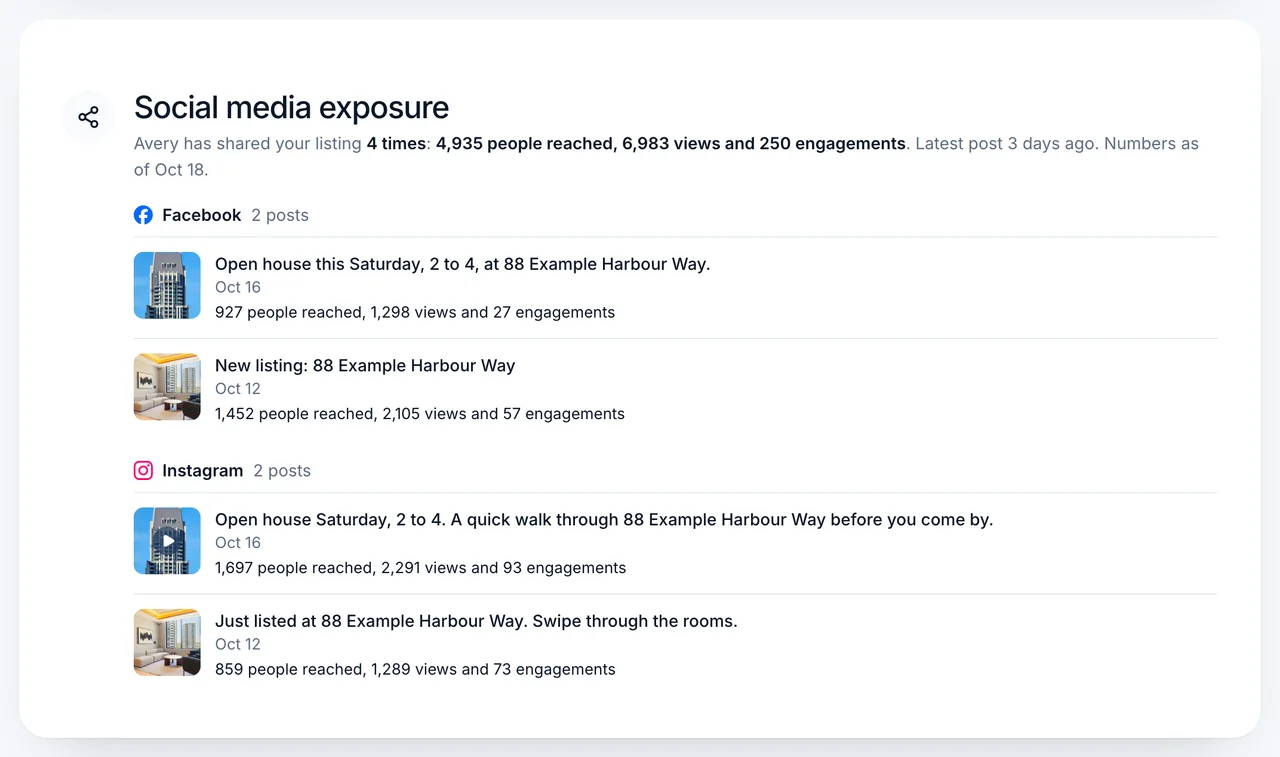
Social media exposure
Jordan has shared your listing 2 times: 5,200 people reached, 8,000 views and 358 engagements. Latest post 4 days ago. Numbers as of Oct 19.
Facebook1 post
 Facebook
Just Listed, open house Saturday
Oct 13
2,800 people reached, 4,100 views and 141 engagements
Instagram1 post
 Instagram
Walkthrough reel, 12 Maple Grove
Oct 15
2,400 people reached, 3,900 views and 217 engagements
Sample data
Your market
Homes like yours
How your home compares to 4 homes for sale. Homes your agent picked.
 For sale
12 Sample Lane
$750,000Asking
4 bed, 3 bath, 12 days on market
 For sale
48 Example Court
$770,000Asking
4 bed, 3 bath, 9 days on market
 For sale
7 Placeholder Avenue
$755,000Asking
4 bed, 2 bath, 15 days on market
 For sale
31 Demo Road
$735,000Asking
3 bed, 3 bath, 20 days on market
Questions about any of this? Jordan is a call or an email away.

Jordan Avery
Sales Representative, Gable Demo Brokerage
From listing to closing, one portal your sellers actually open.
Deal summaries drafted from your agreement for you to confirm, conditions and deposits counted down, showing bookings and REALTOR.ca views in on their own.
“Can you send me an update on the house?”
Every stat your seller asks about, in one place.
Views, showings and feedback, in one link.
Your seller sees their REALTOR.ca views, the views on your own social posts, their showings and the feedback you choose to share. Each week’s update is ready in their portal, under your name.
- One link, everything about their sale
- A weekly update they can open on their phone
- A week nothing was measured says so, never a zero
- REALTOR.ca views1,284
- Showings2
- Social reach1,806
Showing feedback
Sample data- Ledgerstone RealtyLoved the kitchen and the yard. Buyers want a second look on Saturday.
- Ledgerstone RealtySecond visit. Measured the basement and asked about the furnace age.
The hardest part of a listing is the silence between showings.
“Any news?”
The text that arrives when a seller has not heard from you in a few days, however hard you have been working.
Their portal already answers it.
The Sunday night update
Showings, feedback and the week’s news, gathered by hand from four places and typed into an email.
Gable drafts it for you to check.
The date in your head
Financing, inspection, deposit and closing, each with its own deadline, across every deal at once.
Every one counts down to the day.
“Did they like the basement?”
The feedback and the views, on the right listing.
Connects to the tools you already use.
Showings and views come in by themselves, and every date goes out to your calendar. Each connection reaches your account and nothing else.
Comes in on its own
What you would otherwise copy by hand.
REALTOR.ca listing statistics
Views and saves for each listing, every week.
Showing booking emails
Showing bookings, on the right listing.
YouTube
Views on a listing’s video, from its link.

Goes out on its own
Every date where you already look.
Google Calendar
Closings, conditions, showings and open houses.

Works both ways
Your own assistant and tools, on your deals.
Claude
Ask about your deals, or log a showing, from Claude.
ChatGPT and other assistants
Any assistant that supports MCP connectors.
The Gable API
Your own tools, with a key you can revoke.



“So what happens next?”
A portal your seller actually reads.
Plus transaction management built in.
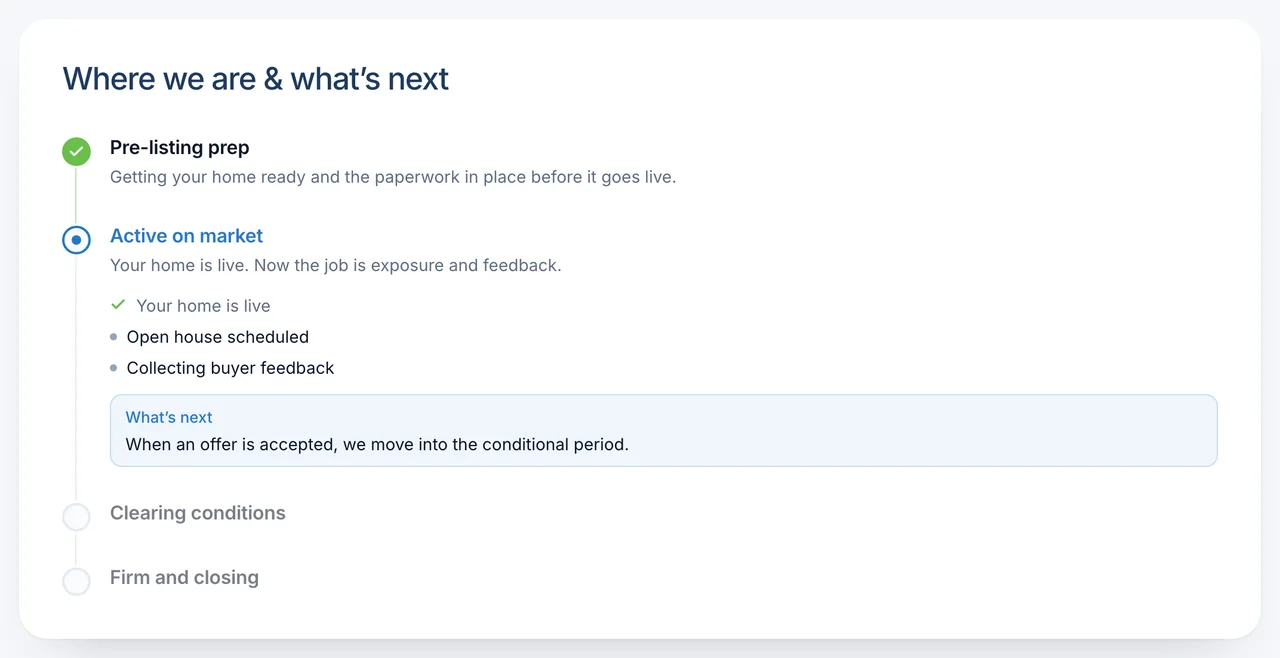
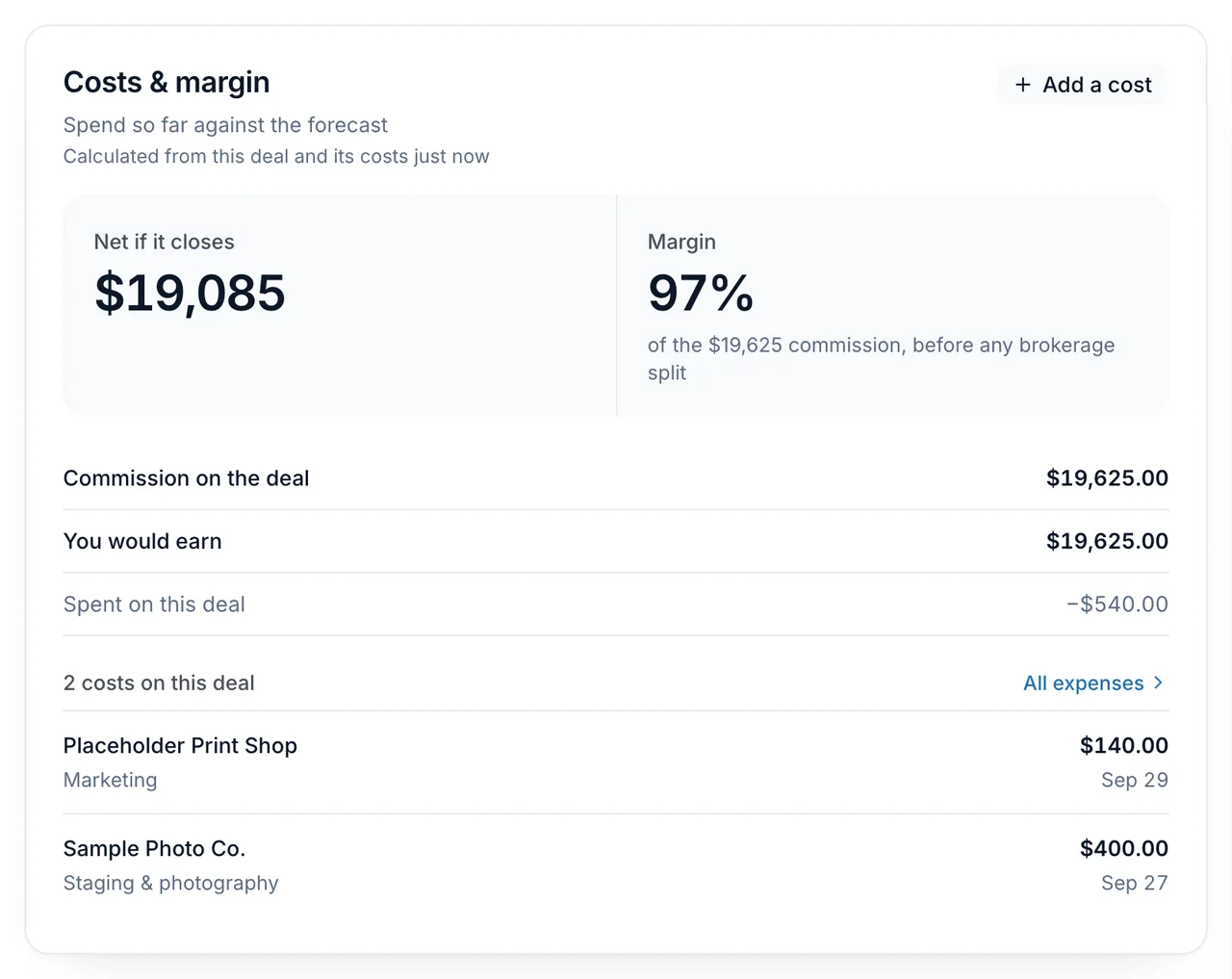
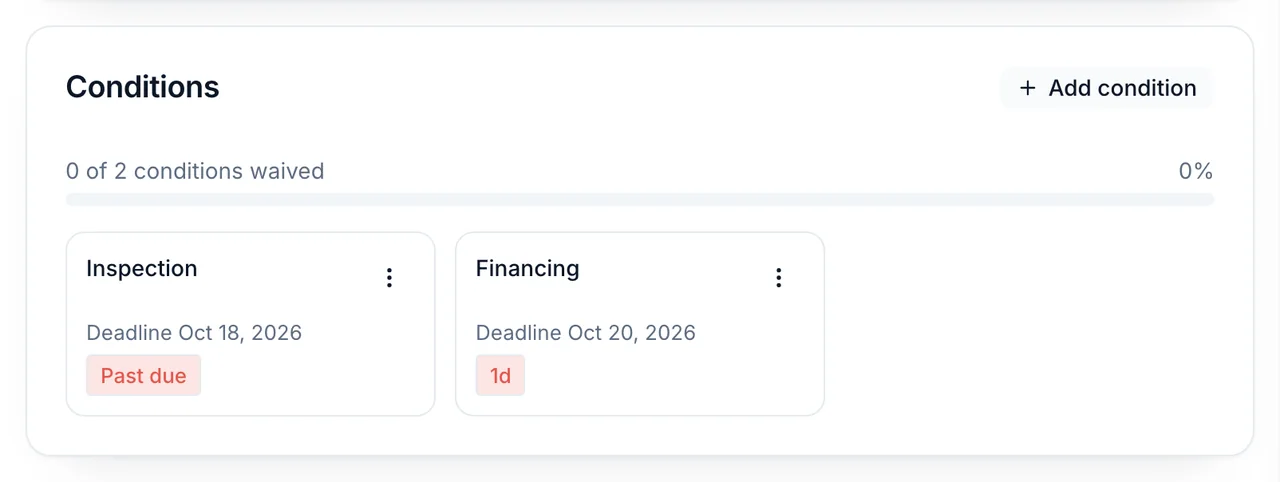
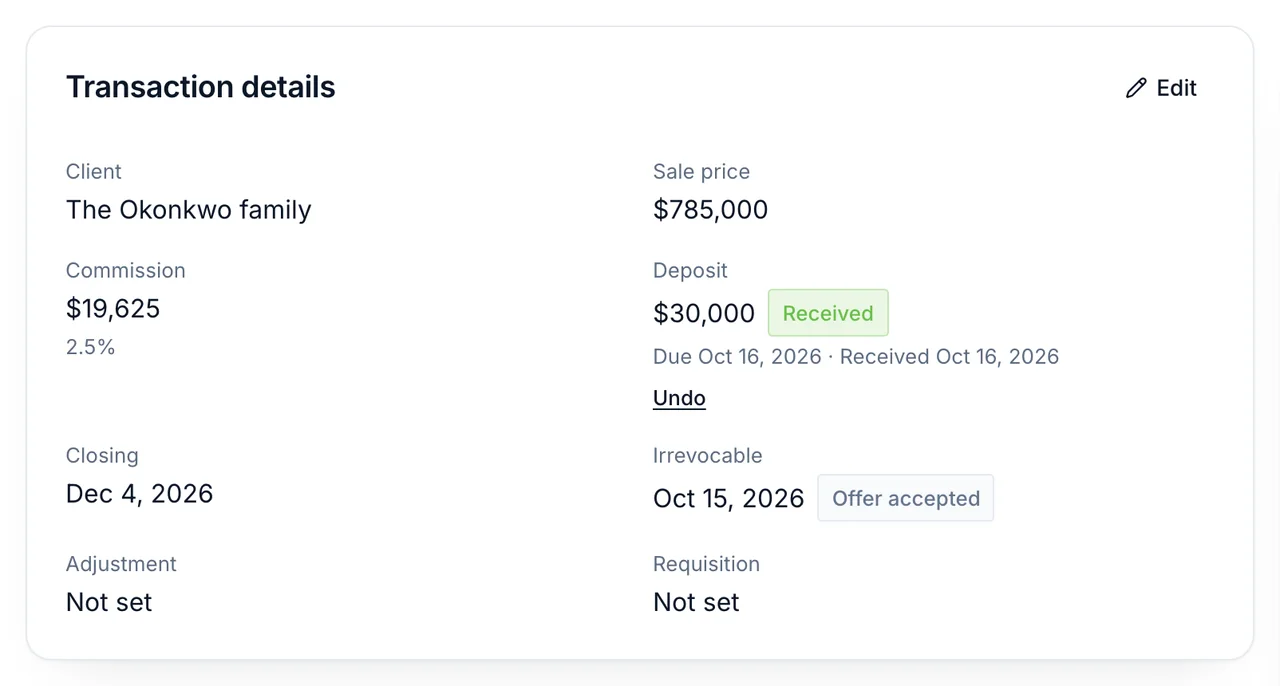
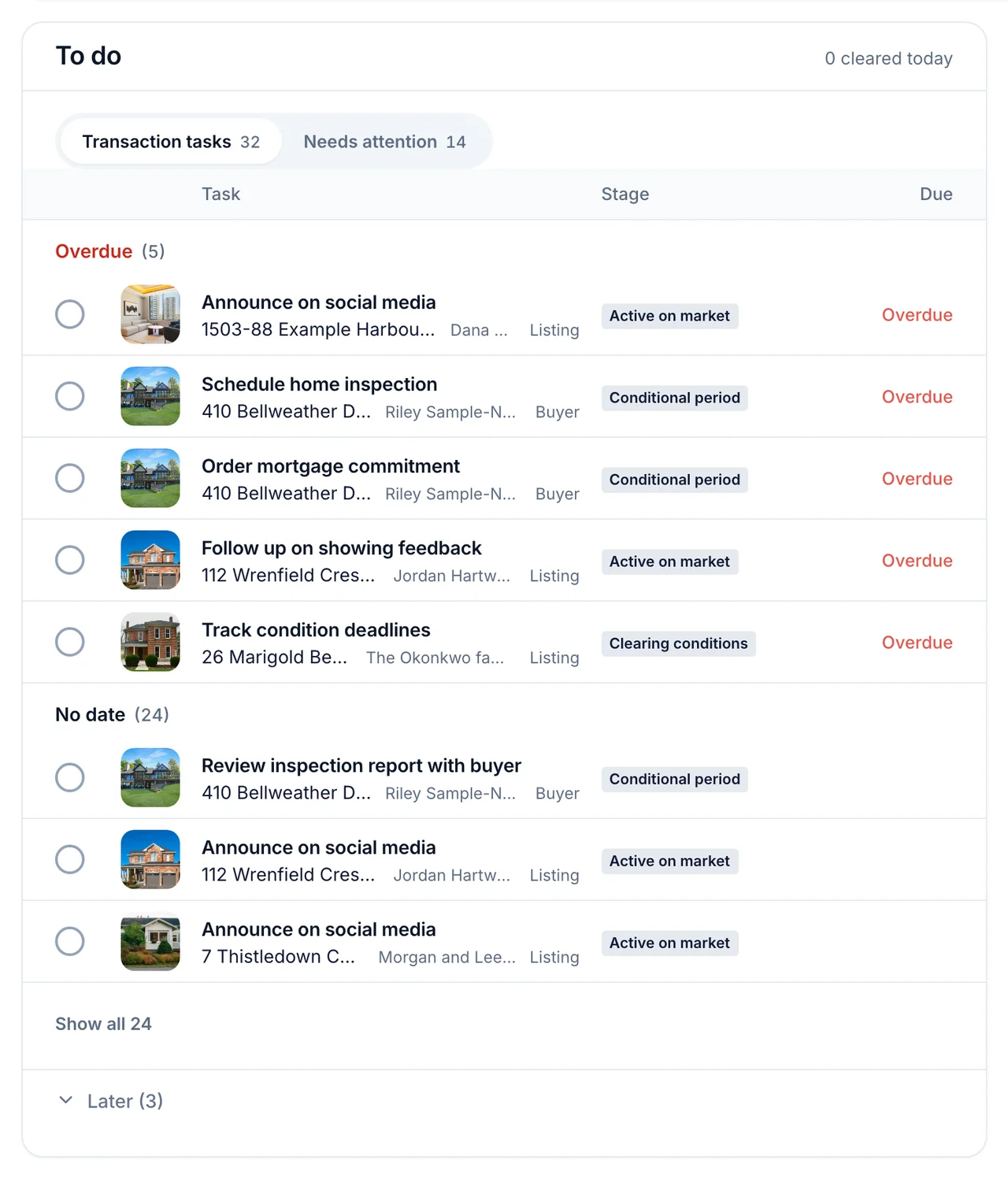
Tasks, conditions, deadlines and deal margin, on every listing and buyer deal. The transaction management sits behind the seller’s portal, so what you do on the deal is what your client sees.
Upload the agreement of purchase and sale. Gable drafts the deal summary from your agreement for you to review and confirm.
“Did that listing even make money?”
What each deal actually made.
“Is financing due Tuesday or Wednesday?”
Conditions, counted down.
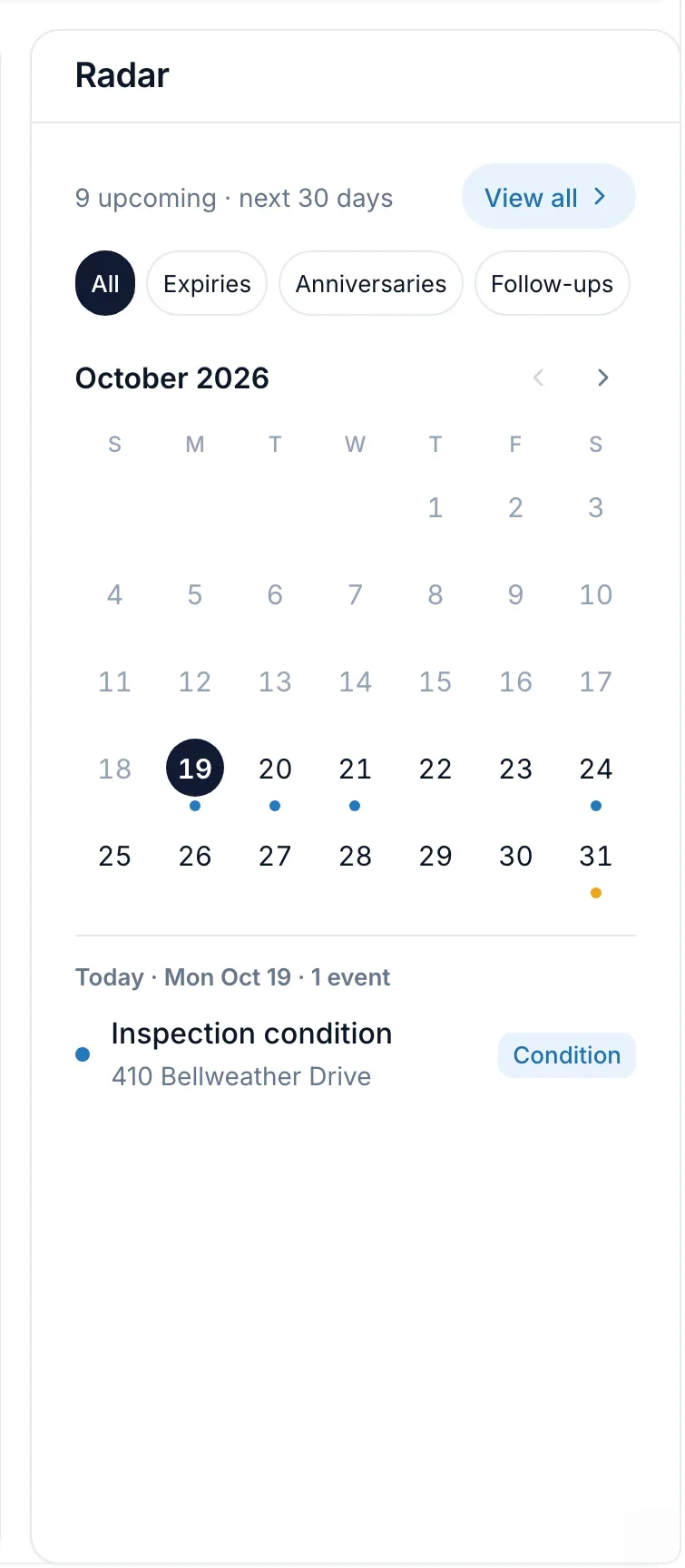
“What am I forgetting today?”
Your whole day, before your coffee.
“What do we do after the offer?”
Your buyer gets a client portal too.
“What was the closing date on Linden again?”
Ask, or just say what happened.
Ask Gable about any deal, or tell it about a showing. It checks with you before it saves.
See Ask GableWhat is left on Linden before closing?
Booked a showing on Linden, Saturday at 11
Add this showing?
118 Linden Crescent, Sat 11:00 AM
Saved
Set up a listing in three steps.
- 1
Add a listing or a buyer deal
Gable sets up the roadmap for each one: every task, condition and date.
- 2
Invite your client
One click sends a private link to their portal. No passwords to set up or forget.
- 3
Reports and reminders keep up on their own
The weekly seller report is ready to share in your client’s portal, and every deadline reminder comes to you, under your name. You check, you change a word if you want, you get on with your day.
Built to be trusted with your clients.
Your name on everything
Reports and the portal carry your name and your branding: your photo, your brokerage and your colours.
Your deals only
Every agent sees only their own deals and their team’s. An assistant you connect works as you, and you can revoke it any time.
A person reads every email
Questions go to hello@getgable.ca and a person answers. No sales call in the way.
Every plan has every feature.
From $149 CAD a month. Plans differ only in how many active transactions you carry: listings that are active, conditional or pending, and buyer deals from the accepted offer to closing. 1 person included, $49 CAD a month for each extra person.
Launching soon.
Starter
$149
CAD a month
Up to 5 active transactions
Growth
$199
CAD a month
Up to 10 active transactions
Pro
$249
CAD a month
Up to 20 active transactions
Unlimited
$299
CAD a month
Unlimited active transactions
Questions agents ask first.
Do I need MLS® access to use Gable?
No. Gable works from the links you paste: your listing’s REALTOR.ca link to add it, and its REALTOR.ca statistics link for its views. If your brokerage has a DLA feed, you can connect it as an upgrade: new listings, price and status changes, and photos then come in on their own.
Does Gable do transaction management?
Yes. Every listing and buyer deal gets its tasks, conditions, deadlines and key dates, its deal margin and its shared documents in one place. It works beside your brokerage’s own compliance and document system, not instead of it.
Can I use Gable where I work?
The waitlist is open wherever you work, and it asks where that is. When Gable opens, signup asks too, and tells you whether your account can start straight away.
Is Gable a CRM?
No. Gable starts when a deal does: a listing, or a buyer’s accepted offer. It runs the roadmap, the deadlines, the updates your clients see and what the deal made. Your leads stay in your CRM, and a CRM that can send a webhook can create a deal in Gable through the API.
Does it replace ChatGPT or Claude?
It does not need to. Ask Gable is built in and answers from your own deals. If you already use Claude or ChatGPT, you can connect it to your account and work your deals from there too.
Can my sellers see everything?
No. Your notes and the tasks you keep for yourself never appear in the portal. A seller sees their own roadmap, their listing’s showings and numbers, and each weekly report, under your name and your branding.
When does Gable open?
Gable opens soon. Join the waitlist and we’ll email you when it does.
Join the Gable waitlist
A private client portal under your name, and every deal, deadline and cost in one place. Join the waitlist and be first in when Gable opens.
Questions go to hello@getgable.ca, and a person reads every one.